1.) Create a free account at https://landing.gnoppix.com
2.) With Gnoppix 26 User search for Gnoppix GPG Generator and create your key → Gnoppix GPG Encryption | Gnoppix Linux use the export key function and safe the public key into a file.
-
If you do not have already Gnoppix it is a good time to download the image, no worries you do not need to install to use the privacy tools. → Gnoppix Download - Get Your AI Linux OS
-
There are several howto’s on the net how you create your GPG Crypto keys if you are not on Gnoppix Linux. Feel free if you have no idea what to do, ask here in the forum, alternatively on discord or slack, or pay for a pro access

3.) After you created your crypto Keys. Login into https://mail.gnoppix.me with the generated username and pass created from Step 1.)
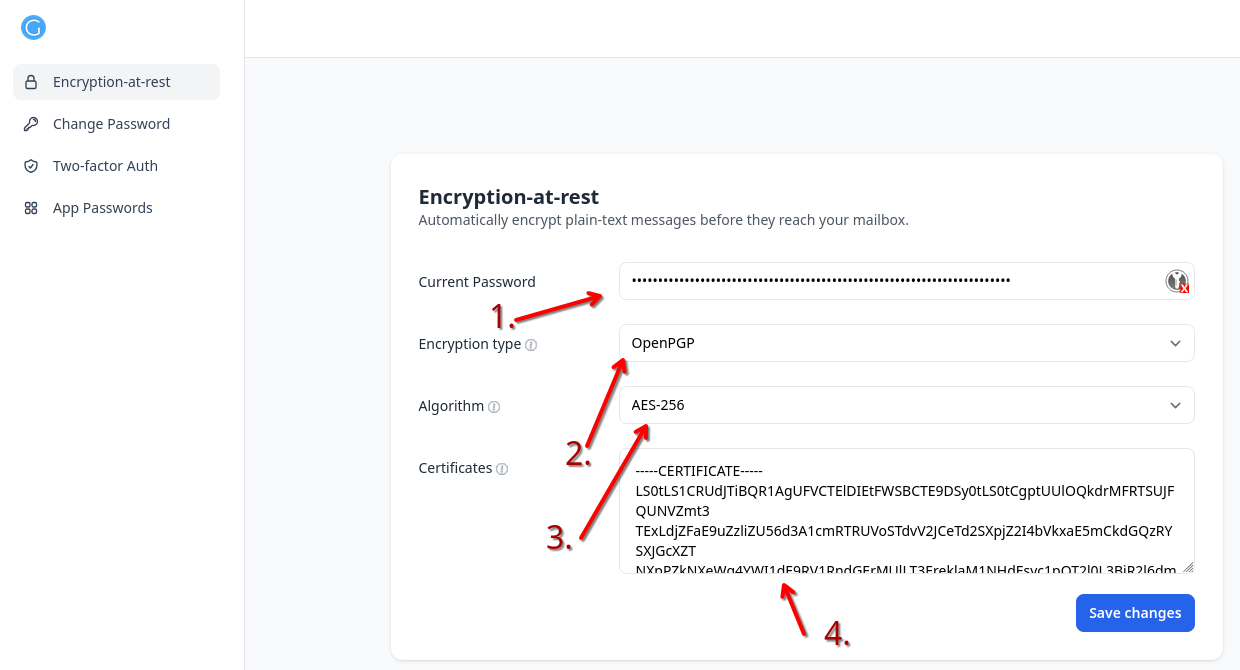
Tip: you can also enable :
- Two Factor Auth for you account.
- App Passwords for different access
- And only you can change the password (while sharing subpasswords for mail)
4.) open you Browser go to https://webmail.gnoppix.org and import you public and private key
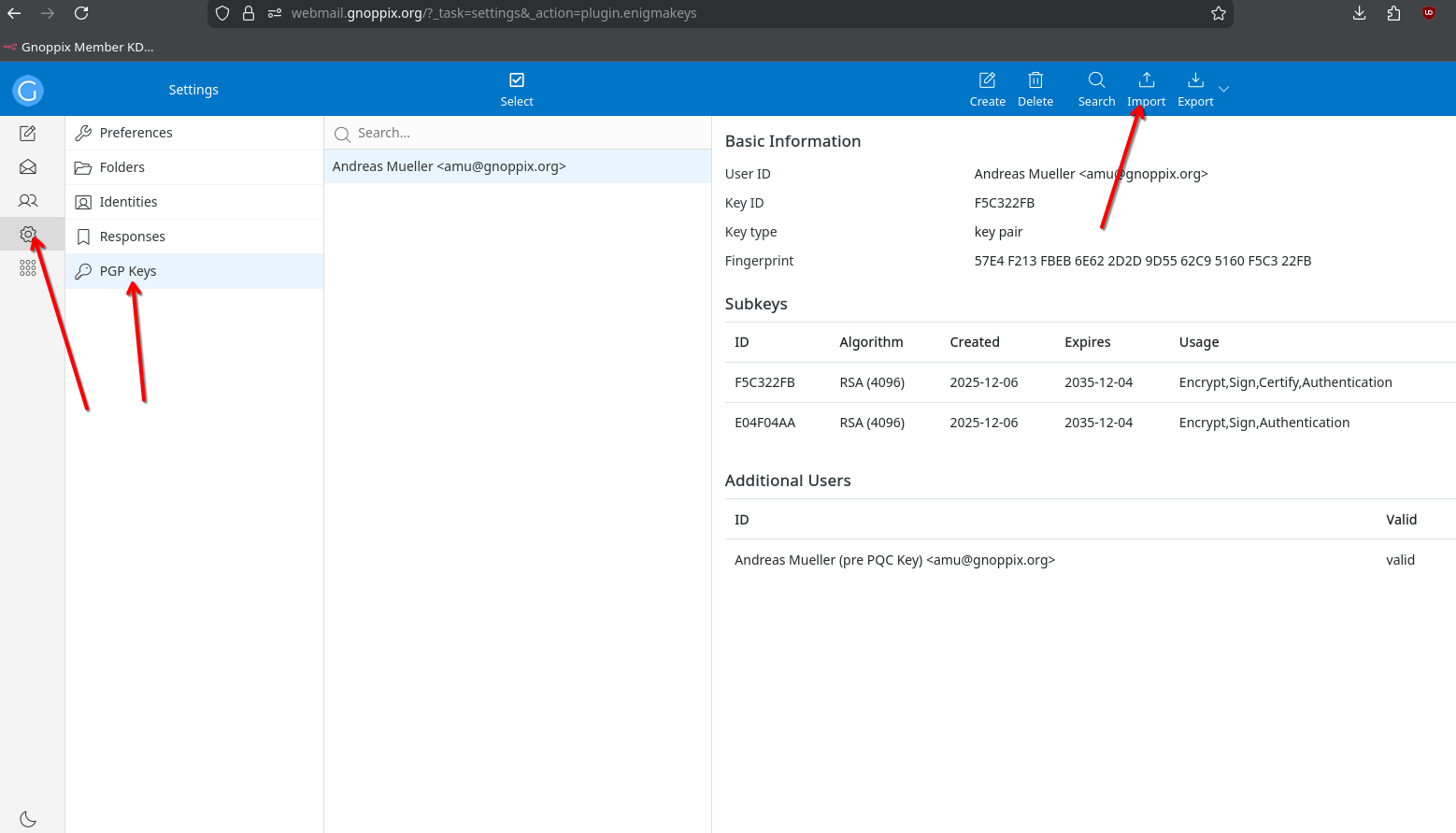
- Import you keys generated on Step 2.)
5.) Open https://webmail.gnoppix.org and enjoy full-encrypted-mailing
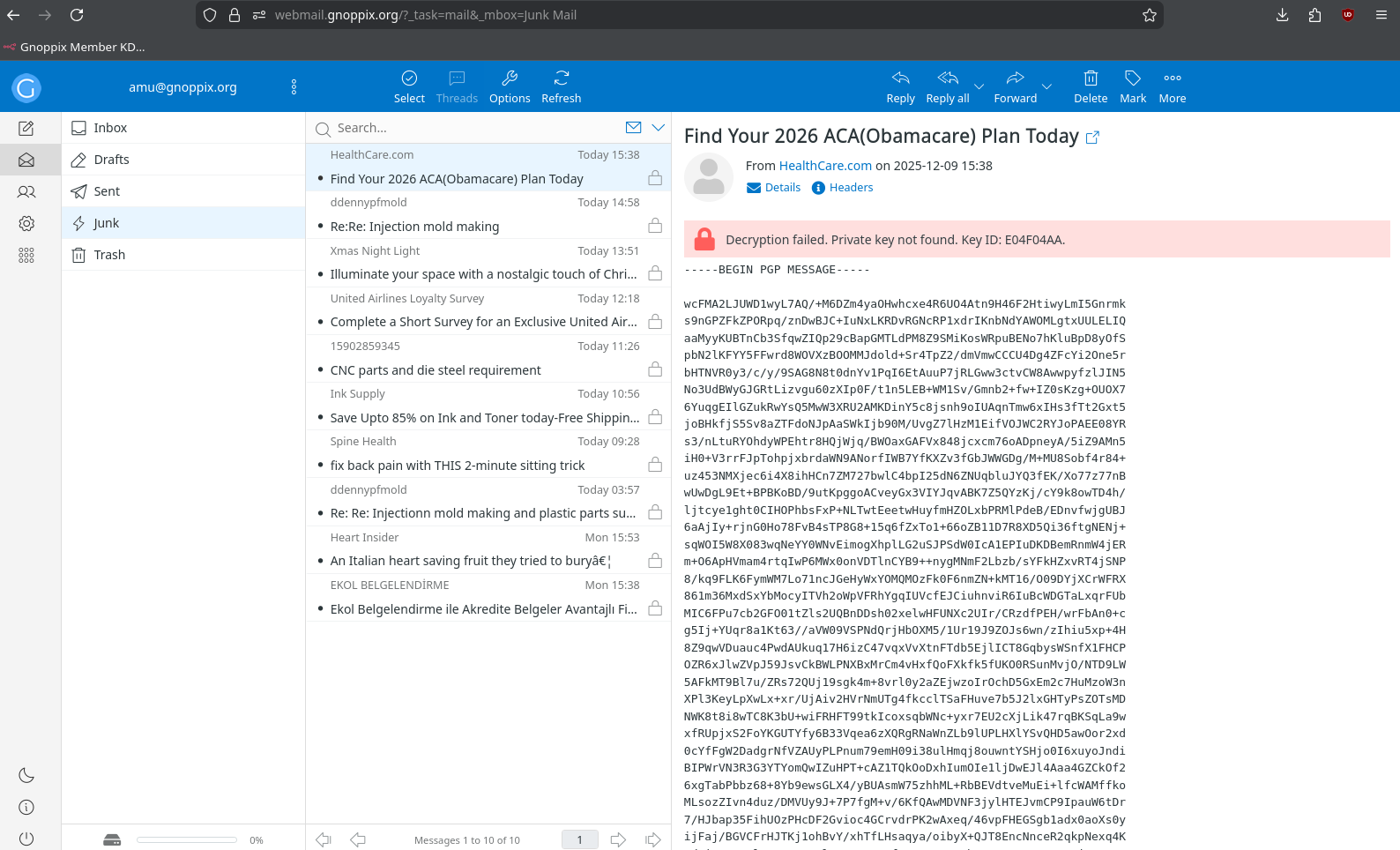
As Mail Pro Users you can use your own Mailclient, your own domain, aliases catch-all and so on.
6.) If you do not like to import your keys, for example because your keys are stored on the server, there are possibilities too. But ask yourself: Why other does save them too? Why does Proton/Tuta store them? It is not a disaster if you store your keys on the server. Your password holds all the magic.
For sure, it is easy if the login password is the same as your crypto password. But hold on. As an Admin or Developer, I have full control over the process to “change password.” I can place it into a database at any time. I can send an email with your new password to internal@investigations.com. I can implement sending newly generated passwords to Discord. We can do whatever we want. We’re handling Opensource; we’re completely free as to what to do. At this point nothing to worry, we used that to make it impossible to do so. For transparency the code is on our github.
Now think again. Does it make sense to combine your crypto key AND login in one?
7.) Alternatives
-
Open your Browser and search for example for the plugin " Mailvelope" if you know something else, source coded. leave me a comment. Mailvelope is a so-called man-in-the-middle between your Browser and gpg installation (on Linux) Just open it DO NOT UPLOAD YOUR KEYS, GPG HANLDE IT FOR YOU. I have no idea on other OS. Your Problem
-
As always Pay for a Pro subscription, its only $2.50
and you can use BetterBird/Thunderbird which handle your Keys. (Tip: If you really not with those Linux topics familiar. Download Thunderbird and create your gpg-keys)
If this seems difficult, I’ve already made it as simple as possible, with maximum transparency and traceability, and maximum security.
Generally, it’s simple to generate keys that are then stored transparently in the system, so that the user is never asked for any keys. The disadvantage, of course, is that the platform operator has your password. I would say 100% yes. However, the operator doesn’t have your decryption password if each user has to create their own keys. And that’s exactly what requires this little interaction. On the other hand, a user rewarded me with the slogan of being the most secure email service in the world. Thank you for that!
Why are we doing all this? There simply aren’t any services that meet my security standards. Either you don’t get access if you want to review the code, so there’s a lack of transparency, but why? Or you’re presented with pseudo-security. To nip this in the bud, I built it myself in a way that makes it more what I needed. We have no access whatsoever; it’s technically impossible. Of course, this doesn’t protect against waterboarding.
My unanswered questions:
-
With Proton, you could also upload your own generated key, but the disadvantage is that the passphrase is still linked to the login. What about surveillance? The Proton report details quarterly court orders, but exactly what data was shared and how? Unfortunately, there’s no transparency.
-
The same applies to Tuta; there’s a source code client, but it doesn’t handle key management or the password. I also can’t use my own keys.